

Track your workouts.
Train for muscle growth.
Log weights and reps with ease.
See your progress in charts and photos.
App screens shown in Japanese. GROWTH supports Japanese, English, Spanish, Brazilian Portuguese and Korean.
Log / History / Analytics / Photos / AI / Share
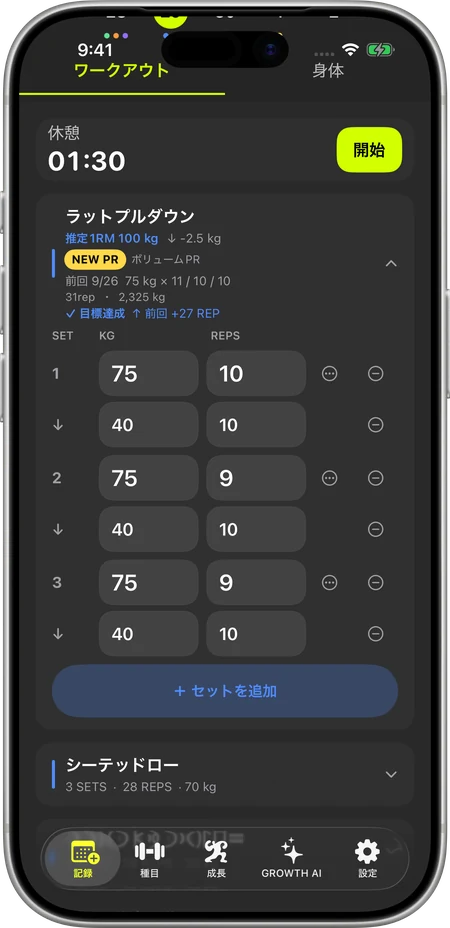
01 / WORKOUTLog weights and reps.
Log weights and reps.
Keep your workout moving.
Enter today's sets with your previous weights and reps in view.
Know what to aim for in your next set.
Weight · Reps · Sets · Drop sets
02 / CALENDARYour workout history,
Your workout history,
on a calendar.
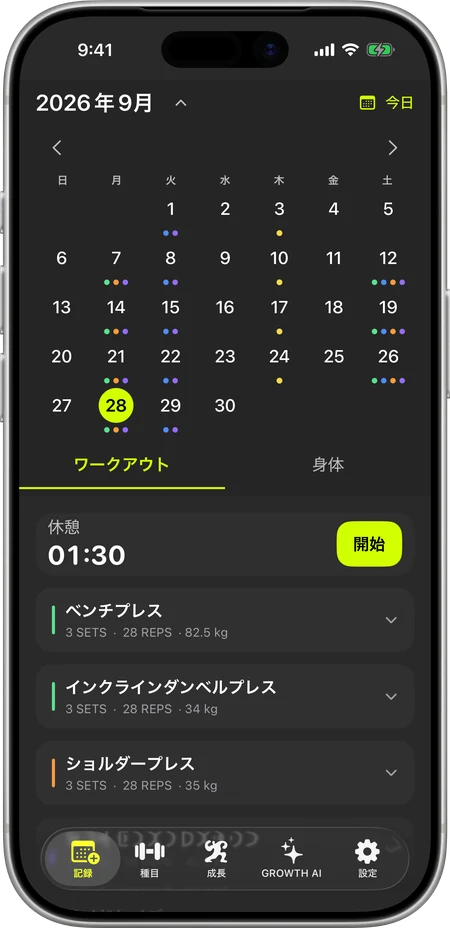
See when you trained and what you did at a glance.
Choose a date to review that day's exercises, weights and reps.
Calendar · Daily workouts
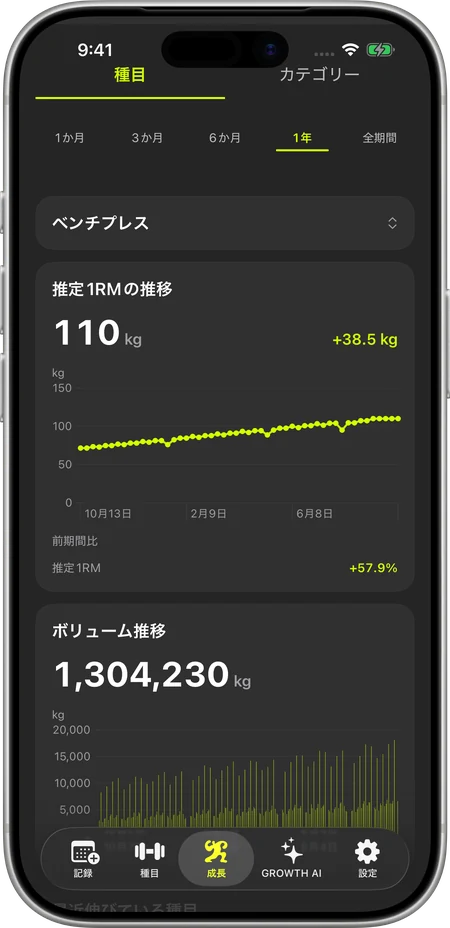
03 / ANALYTICSSee your progress
See your progress
in charts.
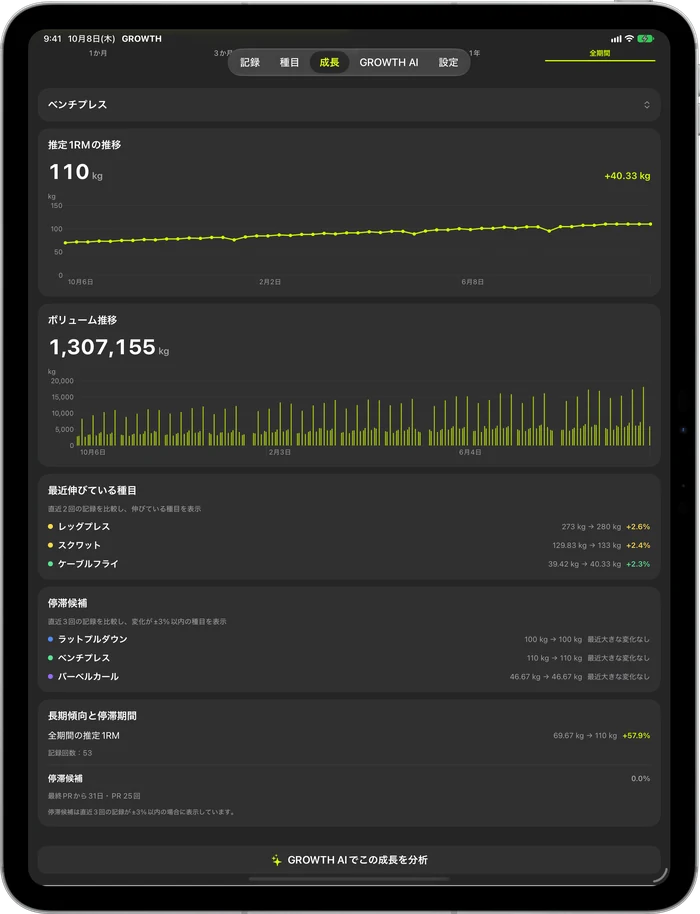
Track changes in weight, reps, training volume and estimated 1RM.
Use your daily logs to see how your training is changing.
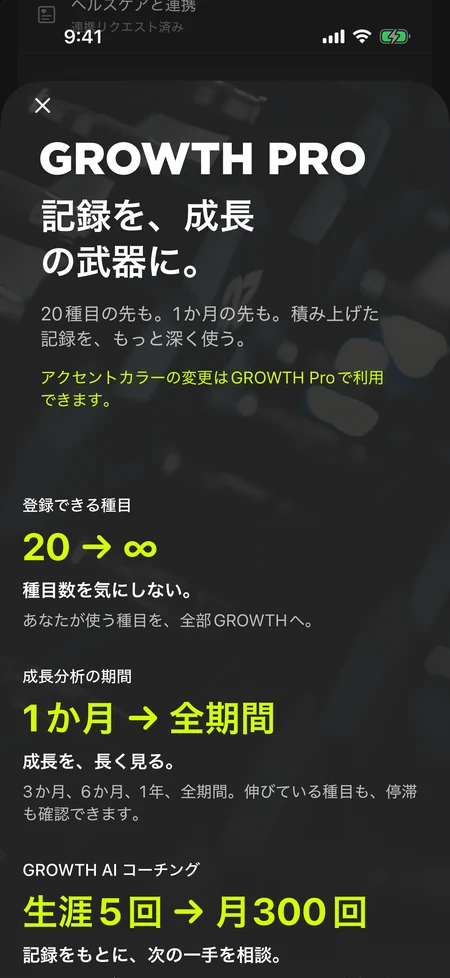
Free: latest month / Pro: all time
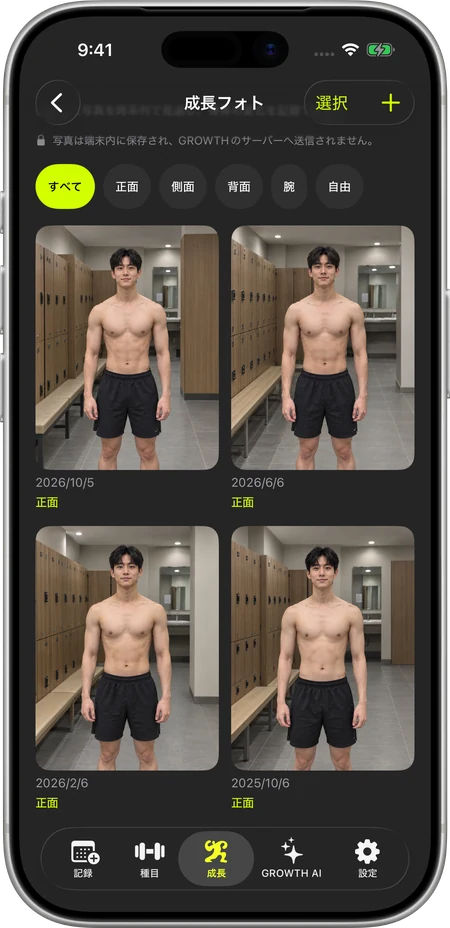
04 / GROWTH PHOTOSCompare your physique
Compare your physique
in photos.
Take photos from the same angle and compare with your past self.
Record changes that training numbers alone may not show.
Free: 1 photo total per day / Pro: up to 5 total per day
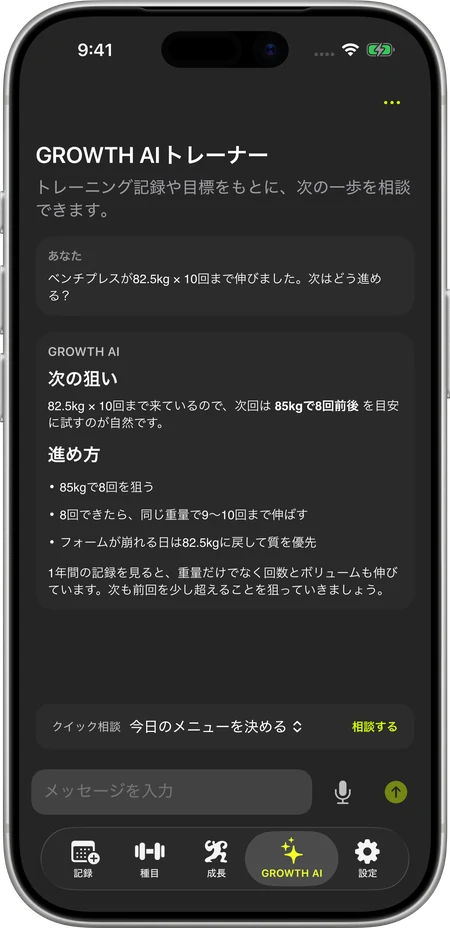
05 / GROWTH AITalk to GROWTH AI,
Talk to GROWTH AI,
with your logs in context.
“Should I add weight?” “Try one more rep?”
Discuss your training based on the workout logs you send.
Free: 5 requests lifetime / Pro: 300 per month. Responses are for reference and do not guarantee results.
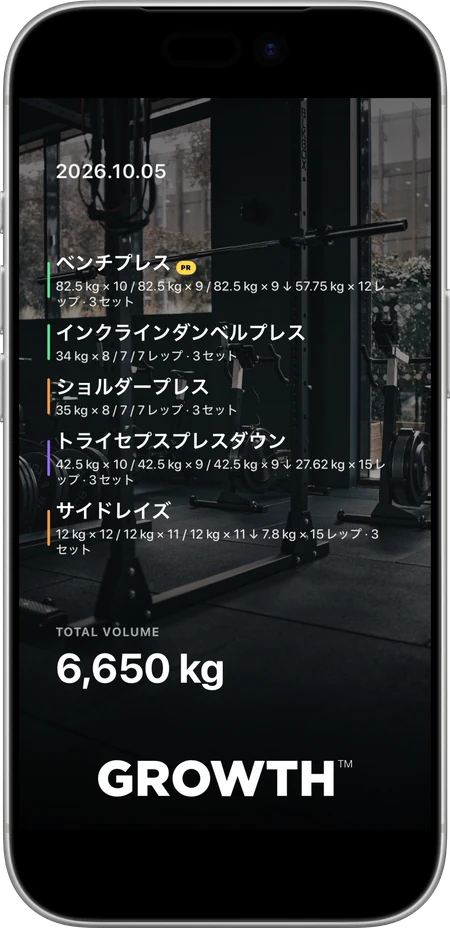
06 / GROWTH CARDSave and share workouts
Save and share workouts
as a card.
Turn the day's exercises and achievements into one card.
Save it for yourself or share it on social media.
GROWTH Card · Save / Share
IPHONE / IPADOn iPhone.
On iPhone.
On iPad, too.
Review logs, history, photos and analytics on iPhone or iPad. Enjoy a clearer overview on iPad's larger screen.
GROWTH supports iPhone and iPad.
The essentials are free.
Go further with
GROWTH Pro.
Daily logging, history and basic analytics are included in Free.
Choose GROWTH Pro for unlimited active exercises, all-time analytics, more photo options and more AI requests.
¥480/month / ¥3,600/year
Annual plan: equivalent to ¥300/month
7-day annual-plan free trial for eligible users
Compare Free and ProAnnual plan: equivalent to ¥300/month
7-day annual-plan free trial for eligible users
Japan App Store prices shown. Prices and availability vary by region; check the App Store for your region. The app is not currently available in the 27 EU countries.
Your questions, answered.
Who is GROWTH for?
GROWTH is designed for people working toward muscle growth and strength who want to use their last workout to plan the next. It is especially suited to those who build their own routines and aim to increase weights or reps.
Does it work on iPad?
Yes. GROWTH supports iPhone and iPad. Review workout history, photos and analytics on iPad's larger screen.
Can I use GROWTH for free?
Yes. Free includes essential workout logging. Start with workouts, previous records, the calendar and basic progress analytics.
Do I need to register an account?
You can start basic workout logging without registering. Linking an Apple Account helps protect your account and return to an existing account.
Where are my photos stored?
Physique photos and other images are stored on your device. Manual backups include photos, and you choose where to export them. Read ourPrivacy Policyfor details.
What does GROWTH AI use to answer?
It uses the question you send and relevant information such as recent workout logs and your training profile. Responses are generated using the OpenAI API. Photos are not included in the data sent. Details are in ourPrivacy Policy.
Can I use GROWTH without Apple Health?
Yes. Apple Health integration is optional. You can log workouts without connecting it.
Can I restore purchases?
Use “Restore Purchases” in the app with the same Apple Account used for the purchase.
Can I cancel GROWTH Pro at any time?
You can change or cancel your plan in Apple's subscription settings. Check that screen for renewal and free-trial end dates.
Your data
See how photos, Health data, account information and AI data are used. Choose the permissions you need and manage your records.
How we handle your informationTraining and muscle growth, published by GROWTH
TRAINING PRESS.